

Zero Data Retention
Zero Data Retention (ZDR) is available for Business workspaces. It restricts processing to providers permitted under Aqua's zero-data-retention policy and requires Privacy Mode for every member. Members cannot turn off the enforced Privacy Mode setting. Business plans
Enable it for your workspace
- Sign in to your Aqua Voice account as a workspace owner or admin.
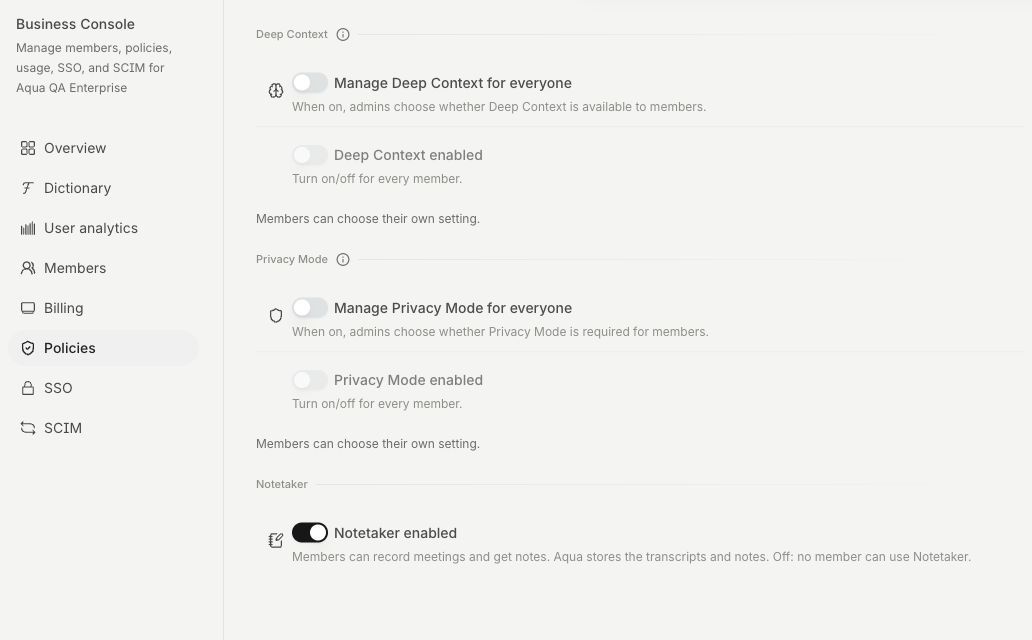
- Open Business → Policies.
- Turn on Require Zero Data Retention. The policy saves when you change the switch.
- Confirm that Zero Data Retention is active and that the Privacy Mode controls show it is locked on for every member.
Self-serve Business workspaces have this switch. For a workspace whose policy is managed through an enterprise agreement, contact Aqua to arrange or confirm its ZDR configuration. The Policies page shows the active status when the setting is managed for you.
What the policy covers
Area | Behavior with ZDR enabled |
|---|---|
Processing providers | Aqua restricts processing to providers permitted by its ZDR policy, including fallback routing. |
Privacy Mode | Required for every workspace member. Individual settings cannot turn it off. |
Dictation audio and text | Privacy Mode prevents server retention, with an exception for dictations you choose to attach to feedback. |
Dictation screenshots | Local copies can remain on your device. Privacy Mode prevents their upload to account history. |
Operational data | Account, billing, and session metadata can still be retained to run the service. |
Aqua processes dictation in the cloud. The policy applies to Aqua's processing and storage. Text and images you insert into another app are subject to that app's own settings and policies. Read the Privacy Policy for data handling details.
How Notetaker works with ZDR
Notetaker remains available when ZDR is enabled, unless your workspace administrator turns it off. Meetings retain their title, transcript, notes, speaker names, and screenshots so that you can read, search, and share them. Meetings created with Privacy Mode on are excluded from model improvement. Their audio is deleted from Aqua's servers after transcription, and Save audio is off.
Desktop audio can remain locally while processing is incomplete or a meeting can still be resumed. See Privacy Mode for local cleanup behavior. Enabling ZDR applies to future processing. Use the meeting's deletion controls to remove existing saved meetings.
To disable meeting recording across the workspace, use Notetaker enabled on the same Policies page. Review access granted through meeting shares and connected AI apps as part of your workspace settings.
Verify your organization's configuration
Check the status in Business → Policies and the managed Privacy Mode setting in a member's app. If you turn off ZDR, review the Privacy Mode policy separately because it remains enabled until an administrator changes it.
For your agreement, processing requirements, and current subprocessor documentation, contact security@aquavoice.com or use the Trust Center. The API reference documents the separate API-account ZDR configuration and request-handling details.