Business Billing and Seats
Open Business → Billing in your web account to review your workspace's subscription or contract. Billing controls depend on your role and the workspace's billing arrangement. Use the amounts, dates, and terms shown for your workspace.
Review a self-serve subscription
The billing page shows subscription status, purchased and assigned seats, and the next renewal or access-end date. Payment Methods and Invoices opens the billing portal.
If a payment fails, update the payment method and review the open invoice in the portal. Confirm the updated subscription status after resolving the payment.
Change seats
Under Manage seats, enter the required number and choose Update Seats. The minimum shown accounts for the workspace's members and the plan minimum.
The self-serve billing page states that added seats are charged for the remaining billing period and removed seats are credited on the next invoice. Read the amount and result shown for your workspace. Adjust membership in Business → Members if the current member count prevents a reduction.
Manage renewal
Use Cancel Renewal to open the cancellation flow. Check the access-end date after cancellation. While renewal is scheduled to end, Resume Renewal can restore it. An ended self-serve subscription offers Restart Business Plan.
Review contract billing
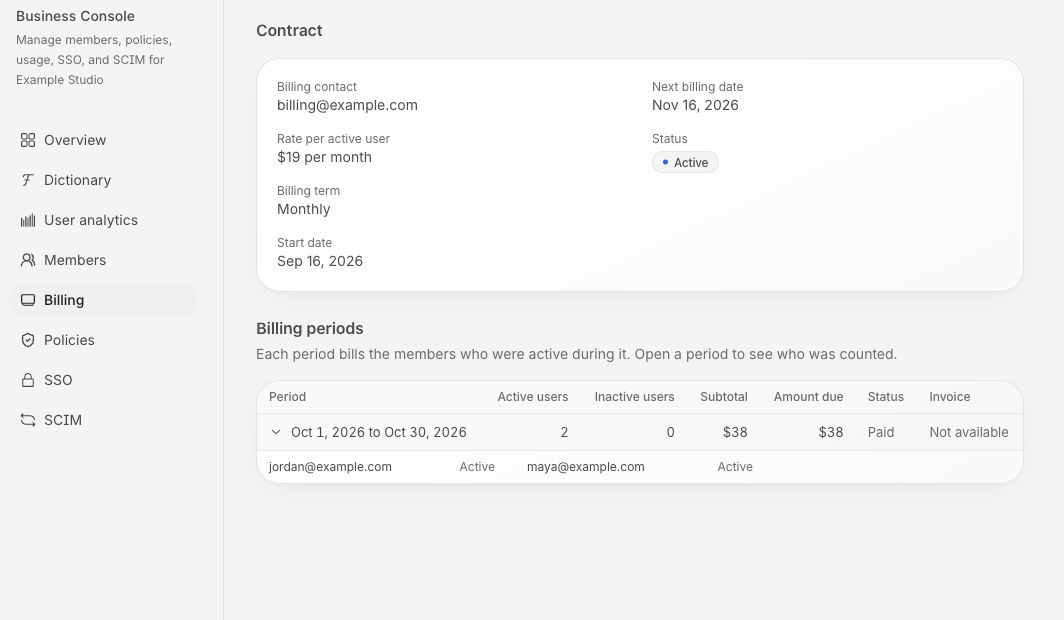
A contract workspace can show billing periods and active-user counts. Open a period to inspect the members counted and its invoice. Annual arrangements can also show prepayments and the balance applied to invoices.
Use your contract and the displayed billing details when reviewing charges. For a billing question, include the workspace name, invoice or period, and the issue. Contact support
For a personal subscription purchased directly, through Apple, or through Google Play, see Account and Billing. For team activity, see Business Usage and Reporting.