

Stats and Sharing
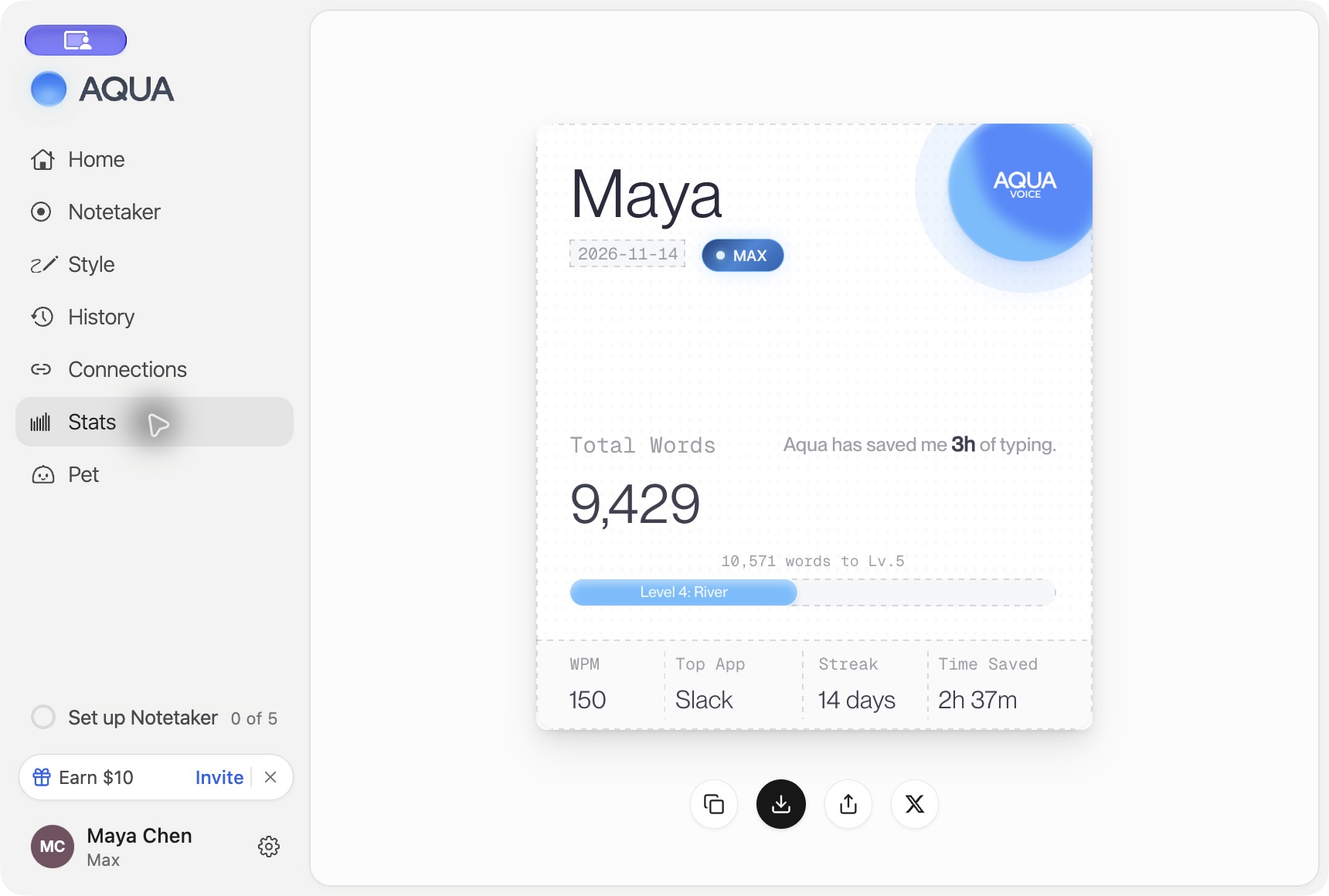
Open Stats in the desktop app to see your dictation statistics and share a stats card. The card includes total words, average words per minute (WPM), a streak, a top app, and estimated time saved.
Read your stats
WPM describes dictation speed. Time saved is an estimate based on dictation activity and the product's typing-time comparison. It is useful to track your own activity over time. The card also shows your level and progress toward the next level.
If the page says there are no stats yet, complete a dictation with the signed-in account and check again. If loading fails, check your connection and reopen the page.
Share a card
Use the controls below the card to Copy to Clipboard or Download PNG. On Mac, Share opens the system share sheet. Share on X copies the card image and opens a draft post where you can paste it.
Review the image and the destination before posting. The card contains your displayed identity and activity figures.
Leaderboards
Aqua Voice also offers leaderboards for paid plans. Availability and controls depend on the version and features enabled for your account. Review the audience and privacy settings shown in the app before joining or sharing. Plan details
For your pet's appearance and share cards, see Aqua Pet. Workspace administrators can review team activity in Business Usage and Reporting.