




@0xferruccio
For coding prompting with voice nothing beats @aquavoice All the other transcription apps don't work well with code like tailwind class names
Switch to the Aqua keyboard with the globe key. Tap the mic, say what is on your mind, and tap again to finish. Your words land at the cursor.
Select what you wrote, tap Edit, and say what should change. Aqua rewrites it in place, so fixing a message never means retyping it.
Wherever you are already typing: ChatGPT, WhatsApp, Gmail, Slack, your notes, a search bar. Aqua can tell when you are writing an email and formats it like one.
Works in apps that support third-party keyboards. Secure fields and some apps use the system keyboard.


Dictate in dozens of languages, or turn on Auto-detect and just start talking. The app itself is available in English, German, Spanish, French, Japanese, and Russian.
Avalon, the model inside Aqua, punctuates, fixes the grammar, and drops the ums, so the text that lands is the text you meant.
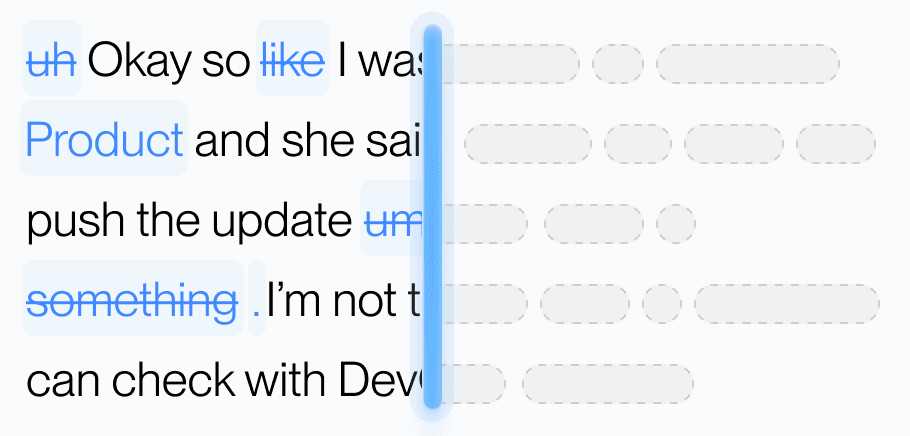
Aqua's model understands natural speech, fixes the grammar, and drops the filler, so what lands reads like you wrote it.
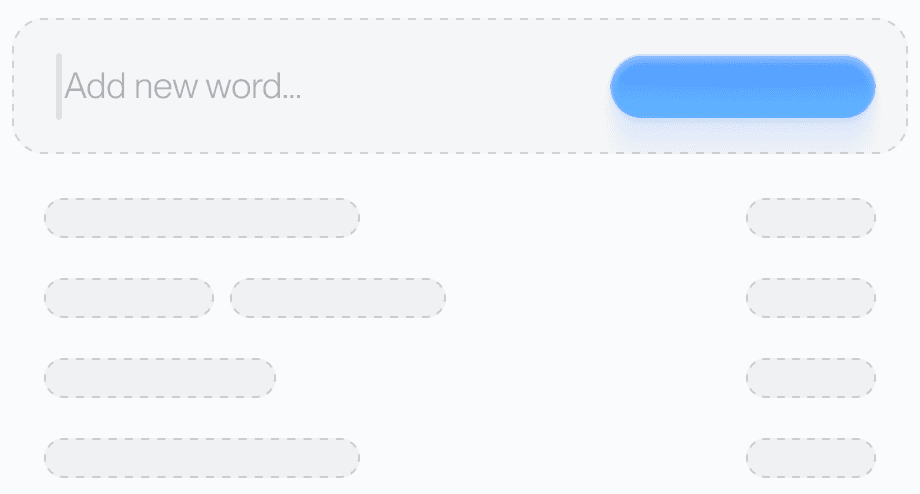
Teach Aqua the names, brands, and technical terms you use. Add a word on any device and your phone already knows it.
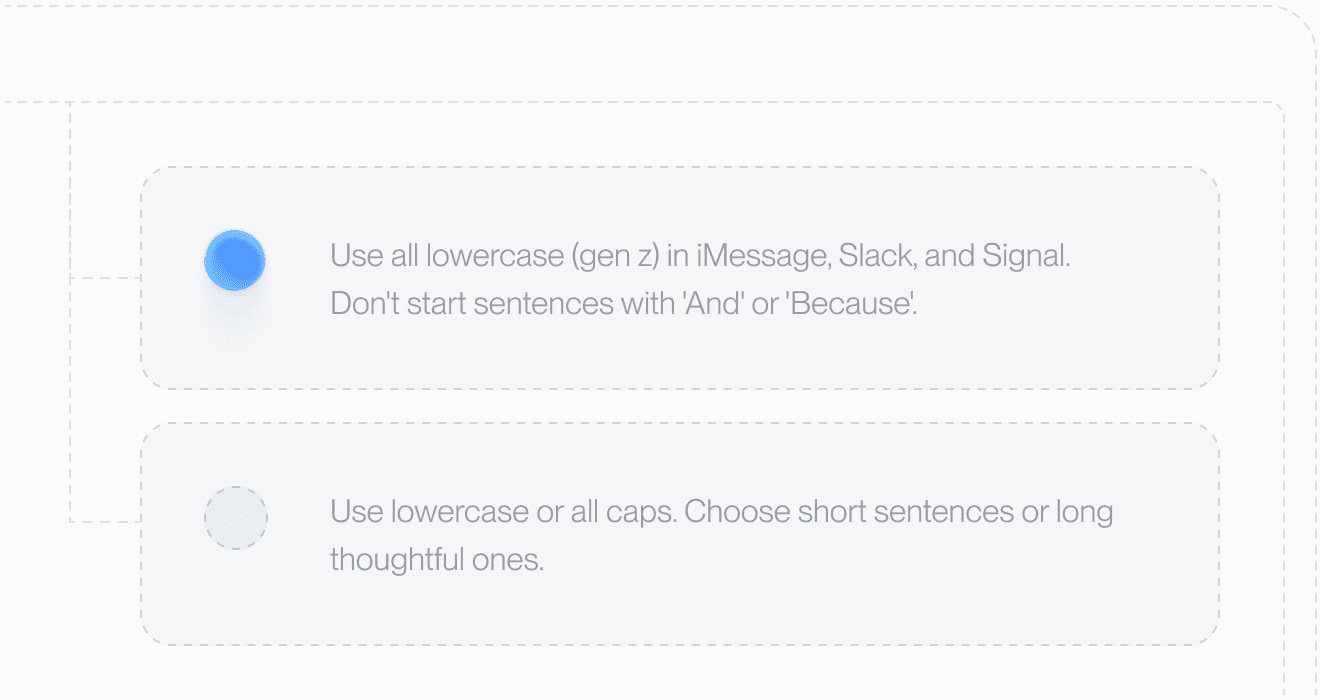
Set your tone and rules. From lowercase messages to structured docs, Aqua adapts to your preferences automatically.

Dictate in dozens of languages with the same clarity, or let Auto-detect work out which one you are speaking.
Avalon, the model inside Aqua Voice, scores 97.4% on AISpeak-10 key-term recognition. Whisper Large v3 scores 65.1% on the same test. The same model powers Aqua on your phone and desktop, so you can use the names, product terms, and commands you use at work.
AISpeak-10 is Aqua’s English technical-speech dataset. Avalon transcribed the key term correctly in 97.4% of clips, versus 65.1% for Whisper Large v3. This measures key-term recognition, not overall transcript accuracy or a head-to-head test of these apps. See the evaluation and results.
Or skip the reading: your first 1,000 words are free, so you can test it on your own vocabulary.
A detailed prompt, a team update, a complete reply. Say what you mean, then shape it with your voice.
Used by people at


Start with 1,000 free words. Pro is $8/month billed annually or $10 month-to-month for unlimited words.
Web pricing shown. App Store billing may differ.
One subscription covers Mac, Windows, iPhone, and Android.
Compare All PlansRequires iOS 17 or later.
Your settings move with you
Your custom dictionary, replacements, and instructions sync between your phone and desktop.
Aqua Voice includes an iPhone keyboard. Open Aqua, enable its keyboard and Full Access in Settings, then allow microphone access. Switch to Aqua with the globe key when you want to dictate or edit by voice. You can switch back to your other keyboards at any time. If Aqua does not appear in the keyboard list, close Settings, reopen Aqua, and tap Open Settings again.
Aqua Voice works in apps that allow third-party keyboards, including Messages, Mail, Slack, ChatGPT, Notes, and your browser. Secure fields such as password boxes, and some apps, use the system keyboard.
Full Access lets the Aqua keyboard communicate with the app that records and transcribes your speech. Cloud dictation and voice editing send audio and relevant text context to Aqua Voice servers. With Privacy mode on, transcript data is not stored on our servers or used to improve the product. Session metadata may still be collected.
You get 1,000 free words with no card required. Web Pro plans cost $8/month billed annually or $10 month-to-month for unlimited words. App Store billing may differ. One subscription covers Mac, Windows, iPhone, and Android.
Yes. Your custom dictionary, replacements, and custom instructions sync between Mac, Windows, iPhone, and Android when you use the same Aqua account.
Aqua Voice offers dozens of dictation languages and an Auto-detect option. Open the language picker in Aqua Voice to see the current list. The app's own interface is available in English, German, Spanish, French, Japanese, and Russian.
Aqua Voice needs an iPhone running iOS 17 or later, microphone access, and an internet connection for cloud dictation and voice editing.
On iPhones with an Action Button and Dynamic Island, open Aqua's Action Button setup and add the Quick Dictation shortcut. In iPhone Settings, choose Action Button, Shortcut, then Quick Dictation. Long press to start and again to stop. Text inserts when the Aqua keyboard is open. Otherwise, Aqua copies it to the clipboard.
Screen recordings show Aqua Voice on iPhone with example dictation. The studio films and Japanese keyboard example use native Aqua controls with scripted text. The Slack app context is illustrative. iPhone and App Store are trademarks of Apple Inc.


