
@DoubleJ794
AquaVoiceと学割で契約したけど、これやべえな。すっげえスムーズにタイピングできる。
スペースを押しながら話す
第三者ベンチマークのVoice Arenaが14の音声入力アプリを比較した結果、Aqua Voiceが1位。直さずそのまま送れる下書きが、いちばん多いアプリです。
Zero Edit Rate修正が不要だった下書きの割合。
数値が高いほど優秀。
 80.5%
こんな企業で働く方にも使われています


Macのキーボードならfnキー。好きなキーに変えることもできます。
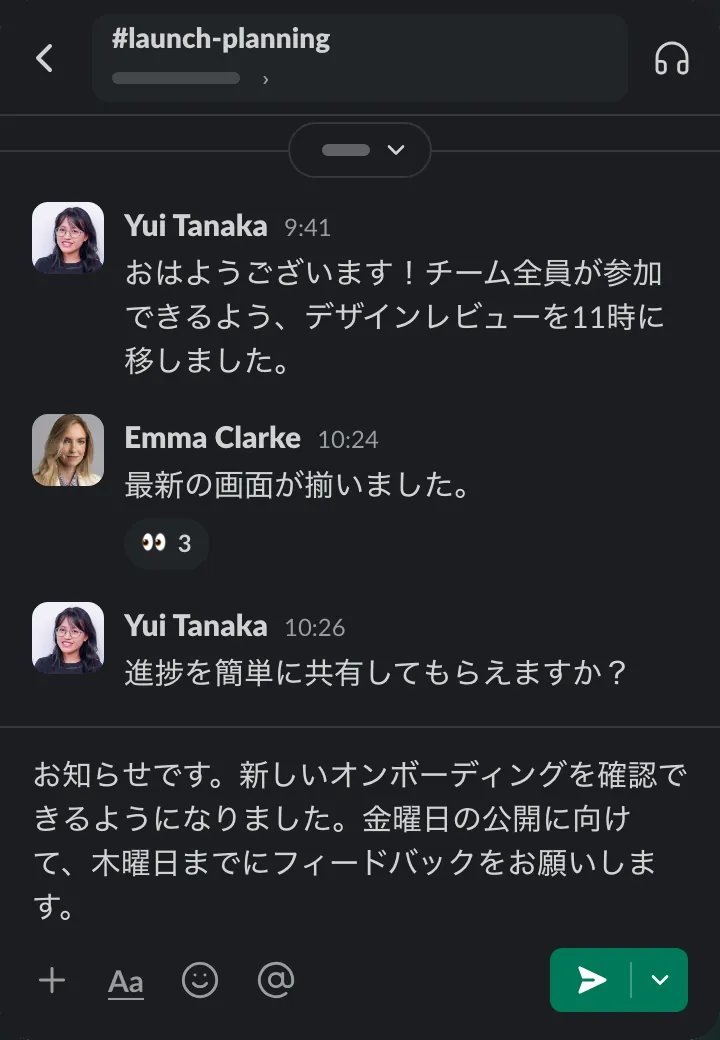
fnキーを押しながら話し、離すと、整った文章がカーソルの位置に入ります。
対応アプリ



対応アプリ
対応アプリ


6時間23分
週のコーディング時間を削減
400文字/分
タイピングの5倍速
対応アプリ


対応アプリ



対応アプリ



4時間56分
週の入力時間を削減
47秒
平均返信時間
対応アプリ


対応アプリ

対応アプリ
 9to5Mac
To illustrate the difference between the two, I simultaneously activated Aqua Voice on one Mac and standard Mac dictation on the other, and then read out the opening to Steve Jobs’ famous commencement speech. The Mac version had 17 errors; the Aqua Voice version had just one. You don’t have to specify punctuation, paragraph breaks, or other formatting. Aqua Voice does it all intelligently and automatically. Ever since installing it, dictation has become my standard way of writing anything on my Mac, including all my 9to5Mac pieces.

 Wirecutter
Aqua Voice was the only app we tested that reliably recognized dictated code. While other dictation apps mention support for vibe coding, Aqua Voice was the only app to faithfully write every character when we (tediously) spoke a line of HTML code. It was also one of the only newer dictation apps to show a live preview of dictated text. But it also missed text in the middle of longer dictation sessions, and it overzealously added custom dictionary words when they weren’t spoken.

 Aestumanda
For context, my dictation setup includes a SpeechWare KeyboardMike, a microphone specifically designed to deliver the best possible dictation performance. Whatever tool you use, a high-quality external microphone will almost always outperform the Mac’s built-in mics. For disabled users and heavy dictation users alike, when speech-to-text works reliably, it transforms independence and productivity. Aqua Voice feels like a breath of fresh air - and a reminder that Apple could deliver this, too. Imagine if Voice Control incorporated this level of AI flexibility and accuracy: the Mac would become a far more empowering tool for users who can’t use a keyboard.

セキュリティとプライバシーへの取り組みは、トラストセンターでご確認いただけます。
プライバシーモード。音声入力の音声と文字起こしは、サーバーに保存されません。
SOC 2 Type II / ISO 27001.第三者によるセキュリティ監査。監査報告書と認証は、トラストセンターで確認できます。
GDPR / HIPAA.機密性の高い仕事にも安心を。保護対象保健情報(PHI)を扱う前に、アプリ内でBAAに署名してください。
チーム・法人向けの管理機能。チーム全体のプライバシー設定、データ非保持、シングルサインオンをまとめて管理。
学生はProとMaxが70%オフです。