


James Fong
@jamesfong
3 products that have broken into my forever home. And that's not an easy feat for me: @circlebackai, @aquavoice, and @superset_sh
Tap the Aqua button and talk. Clean, punctuated, 97.3% accurate text lands in the app you’re already in, and your keyboard stays put.
Free for your first 1,000 words · No card needed · Android 10 or later
How it works
[01] Your keyboard stays
Aqua is a small button that slides out beside the keyboard you already use. Tap it, talk, and tap the checkmark. Your words land at the cursor.
[02] Voice editing
Select what you wrote, tap Edit, and say what should change. Aqua rewrites it in place, so fixing a message never means retyping it.
[03] Every text box
Wherever you are already typing: ChatGPT, WhatsApp, Gmail, Slack, your notes, a search bar. Aqua can tell when you are writing an email and formats it like one.
Aqua never appears in password fields.


[04] Languages
Dictate in dozens of languages, or turn on Auto-detect and just start talking. The app itself is available in English, German, Spanish, French, Japanese, and Russian.
Avalon, the model inside Aqua, punctuates, fixes the grammar, and drops the ums, so the text that lands is the text you meant.
Get Started on Android
Get Started on Android
Powered by Avalon
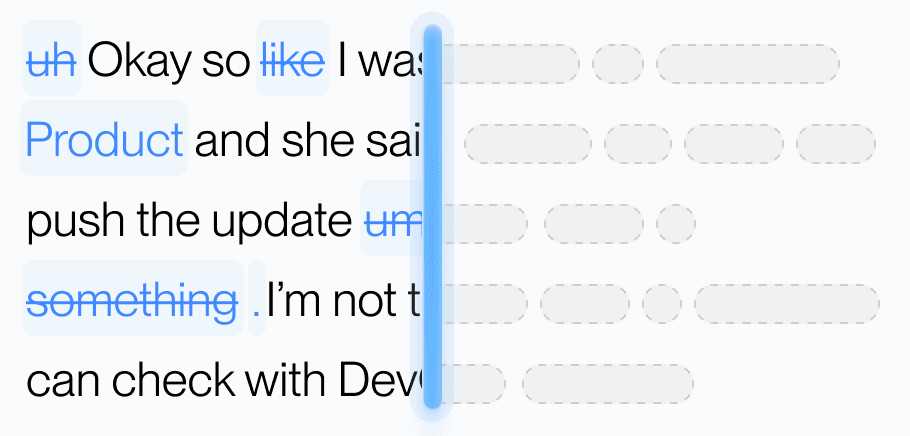
Aqua's model understands natural speech, fixes the grammar, and drops the filler, so what lands reads like you wrote it.
Dictionary
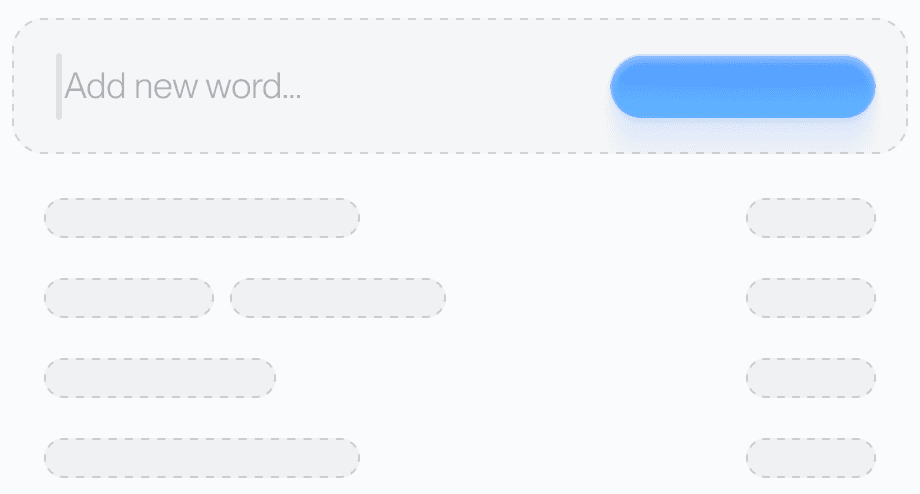
Teach Aqua the names, brands, and technical terms you use. Add a word on any device and your phone already knows it.
Custom prompting
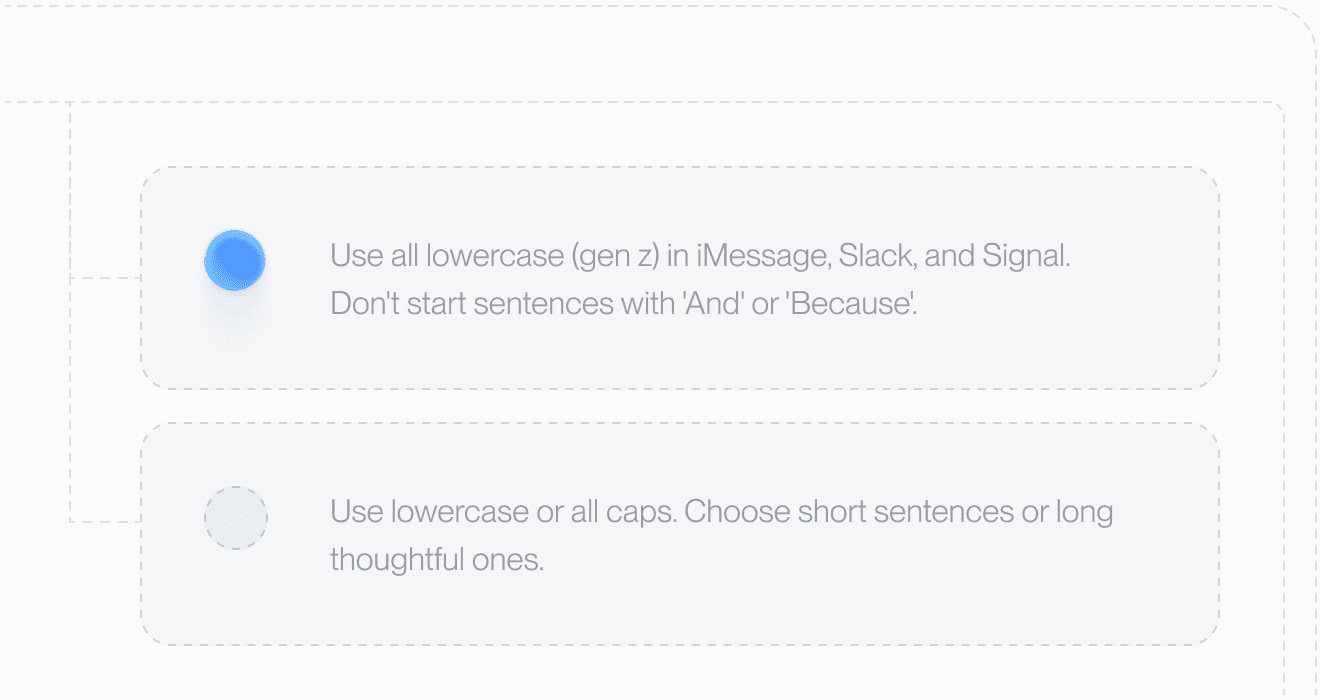
Set your tone and rules. From lowercase messages to structured docs, Aqua adapts to your preferences automatically.
Languages
Dictate in dozens of languages with the same clarity, or let Auto-detect work out which one you are speaking.
Avalon, the model inside Aqua Voice, scores 97.3% on AISpeak, our public benchmark of AI and technical vocabulary. Whisper Large v3, the leading open-source speech model, scores 65.1% on the same test. The same model that powers Aqua on Mac, Windows, and iPhone powers the Android app, so names, product terms, and commands land right the first time.
AISpeak measures word accuracy on speech full of AI and technical terms, the vocabulary generic models miss most.
Or skip the reading: your first 1,000 words are free, so you can test it on your own vocabulary.
Get Started on AndroidOut in the world
On a train, in a kitchen, with your hands full. The words are already there. Aqua just gets them down.
Used by people at


James Fong
@jamesfong
3 products that have broken into my forever home. And that's not an easy feat for me: @circlebackai, @aquavoice, and @superset_sh

Jayme Hoffman
@jaymehoffman
@aquavoice has saved me over 2 days of typing

Grzegorz Kossakowski
@gkossakowski
Aqua is a true power tool: quick, reliable and understands your context - they were early at appreciating the value of context engineering.

tz 🏴☠️
@tzmartin
tbh @aquavoice is a vibe coder's delight.. lowest latency, highest quality STT I've used so far

Tulsi Prasad ⚡️
@thebuildguy
Unpaid shout out — @aquavoice is probably one of my most used tool that has saved me quite literally a day of time!

utku
@utkusays
just subscribed to aqua voice and wow you guys are cooking, best dictation app i've tried so far

Ferruccio Balestreri
@0xferruccio
For coding prompting with voice nothing beats @aquavoice All the other transcription apps don't work well with code like tailwind class names

mass
@Memetic_Theory
If you're not using @aquavoice you're moving 15% slower than you could

juan
@juanbuis
this is why @aquavoice is better than all other AI transcription apps it actually writes like you talk

jaxn
@jackson_felty
@aquavoice is a prime example of how much better a product can be when the team focuses on making one simple use case incredible
Pricing
Start with 1,000 free words. Pro is $8/month billed annually or $10 month-to-month for unlimited words.
Web pricing shown. Google Play billing may differ.
One subscription covers Android, iPhone, Mac, and Windows.
Get Started on AndroidCompare all plansCompatibility
Requires Android 10 or later.
Your settings move with you
Your custom dictionary, replacements, and instructions sync between your phone and desktop.
No. Aqua Voice is a floating button, not a keyboard. It slides out beside whichever keyboard you already use when you tap a text box, and hides when you tap away. There is nothing to switch to and nothing to switch back from.
Aqua writes into the text box you are already typing in, so it works across messaging apps, email, notes, browsers, search bars, and AI chat apps. It never appears in password fields. If an app does not accept inserted text, Aqua copies your transcript so you can paste it.
Aqua Voice uses accessibility to insert dictations in other apps. It reads the active text field and the current app to place and format your words. Password fields are excluded. Your audio and text content are sent to Aqua Voice servers for transcription. Our security practices are independently audited (SOC 2 Type II). With privacy mode on, your transcription data will not be stored or used to improve the product.
You get 1,000 free words with no card required. Web Pro plans cost $8/month billed annually or $10 month-to-month for unlimited words. Google Play billing may differ. One subscription covers Android, iPhone, Mac, and Windows.
Yes. Your custom dictionary, replacements, and custom instructions sync between Android, iPhone, Mac, and Windows when you use the same Aqua account.
Aqua Voice offers dozens of dictation languages and an Auto-detect option. Open the language picker in Aqua Voice to see the current list. The app's own interface is available in English, German, Spanish, French, Japanese, and Russian.
Aqua Voice needs Android 10 or later, a microphone, and an internet connection, because transcription runs on Aqua's servers. Android Go devices are not supported, since they do not allow the floating button.
Screen recordings and films are product demonstrations with scripted dictation. Android, Google Play and the Google Play logo are trademarks of Google LLC.
